
Musical Game for Kids
Orange Studios GamesMusic
3.828.00 Reviews
- Version
- 1.53
- Installs
- 10.00M
- Age Rating
- Everyone
Screenshots
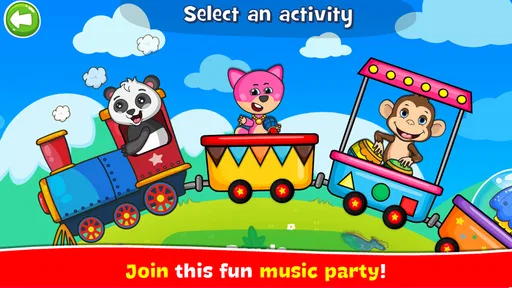
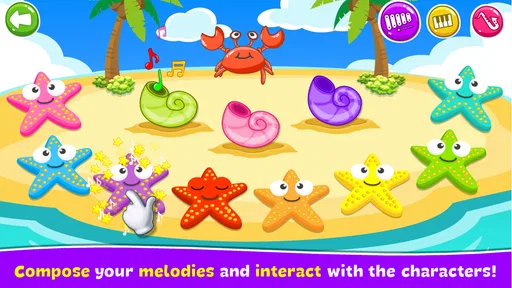
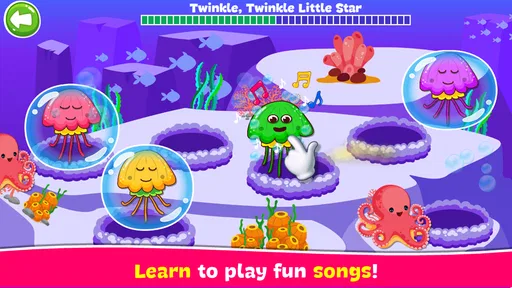
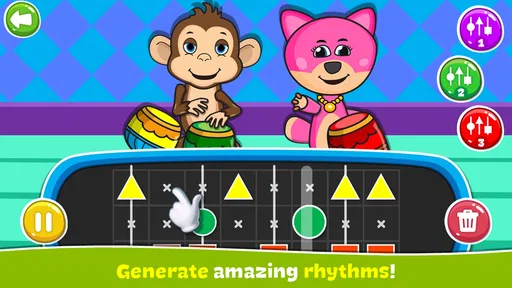
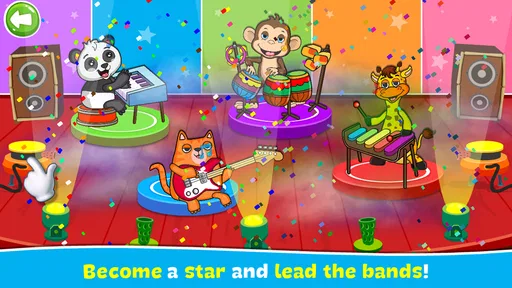
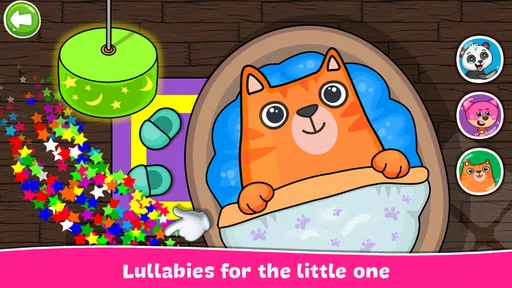
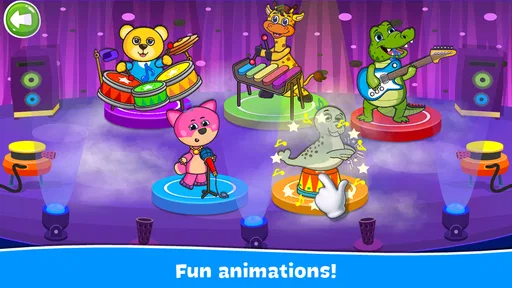
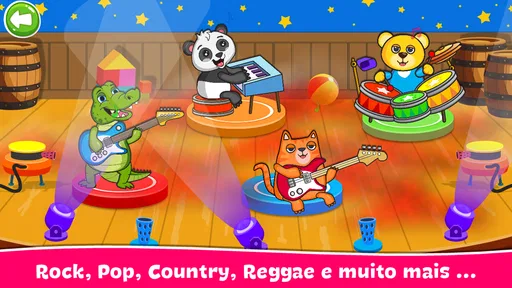
Our Review of Musical Game for Kids
 Analysis by Appyee
When I tried Musical Game for Kids, the part that stayed with me was not a complicated scoring system or a large collection of modes. Its main value is simpler: it turns short music activities into a playful learning moment that a child can start without needing much explanation. That makes it especially easy to bring into a quiet afternoon, a short break, or a shared parent-and-child session.
This is a free music game from Orange Studios Games, designed for Everyone and available on Android devices running at least version 6.0. It has reached over ten million installs, which gives it a familiar place among children’s music apps. The average rating sits at 3.8, based on around 6.5 thousand ratings, so I would describe it as broadly appealing rather than universally loved. In my experience, that balance makes sense: the game is approachable and cheerful, but its simplicity will not suit every child.
Why the musical activity matters more than the game wrapper
The strongest capability here is its use of game-like interaction to encourage a child to engage with music. That distinction matters. This is not trying to replace a piano lesson, teach formal notation, or offer the depth of a full instrument simulator. Instead, it gives children a low-pressure way to notice sounds, follow prompts, and associate music with immediate play.
I found that approach useful for children who are curious about instruments but are not ready to sit through structured instruction. A conventional music-learning app can feel like homework when the child is still deciding whether music interests them. This game lowers that barrier. The child can explore the activity first, and an adult can decide later whether a more advanced tool is worthwhile.
The educational angle also works best when expectations remain realistic. I would not install it expecting measurable progress in rhythm, reading music, or instrument technique after a few sessions. Its contribution is more basic and more accessible: it can help make musical interaction feel familiar. For a young child, that first positive association can be more useful than an overly serious lesson that they quickly abandon.
The real benefit is not advanced musical training; it is making musical participation feel easy enough to begin. That is why I see this as a starter experience rather than a complete learning course.
What a child is likely to get from the experience
The game’s music focus gives parents a practical way to introduce a child to sound-based play without preparing instruments or arranging a lesson. A child can spend a short period interacting with the game, then move on to another activity. That short-session quality is important because younger users often lose interest when an app demands long concentration.
I also like the possibility of using it as a conversation starter. Instead of leaving the child alone with the screen, I could ask which sound they liked, invite them to copy a rhythm with their hands, or connect the game’s activity with clapping and singing away from the device. Used that way, the app becomes a prompt for shared play rather than a substitute for it.
There is a subtle trade-off here. The more an adult guides the session, the more educational value the child may take from it, but the less independent the experience becomes. If the goal is simply a few minutes of entertainment, the child can explore alone. If the goal is musical curiosity, a parent or teacher should stay nearby and turn the activity into a small exchange.
How it works in an everyday session
I would approach the first session with no tutorial speech from the adult. Let the child tap around, observe what attracts their attention, and only step in when they appear unsure. This gives a quick sense of whether the game’s pace and presentation match the child’s age and patience.
For a realistic example, imagine a child waiting while dinner is being prepared. A parent can offer the game for a short, defined period, then ask the child to demonstrate a favorite musical action afterward. That final question is useful because it shifts the experience from passive screen time toward recall and expression. It also helps the adult judge whether the game is genuinely engaging or merely holding attention through repetition.
Another useful routine is to play before a real-world music activity. If a family is about to sing, clap, or listen to children’s songs, a brief session can act as a warm-up. I would keep it short rather than letting the app become the entire event. The game works better as an invitation to notice music than as the only musical experience in the room.
For independent use, I would choose a place where an adult can hear what is happening and check in occasionally. That is not because the game is difficult, but because young children may need help understanding what to do next or may quickly switch from musical interaction to random tapping. A nearby adult can redirect attention without turning the session into a formal lesson.
A practical routine for parents and caregivers
I found a three-step routine more effective than simply handing over the device. First, let the child explore without correction. Second, ask one specific question about the music or activity. Third, connect the answer to something away from the screen, such as clapping a pattern or making a sound with a household object. This keeps the app’s role focused and prevents it from becoming an isolated digital distraction.
That routine also reveals whether the child is ready for a different kind of app. If they enjoy the musical ideas but want to create longer pieces, a more advanced composition tool may be the better next step. If they prefer pressing buttons without listening, a game with a stronger visual challenge might hold their attention more effectively. The response after playing matters as much as the play itself.
One non-obvious strength is that the game can serve as a quick test of interest before a family spends time or money on lessons, instruments, or a more demanding music platform. It cannot predict future ability, but it can show whether a child is drawn to sound-based interaction at all. That makes it useful during the “should we explore music further?” stage.
Because the game is free to start, it is also easy to try without making an immediate purchase decision. There are in-app purchases priced at $3.99 per item, so I would check the purchase controls before letting a child use the device alone. The important point is not the price itself, but the need to treat any child-focused app as part of the family’s normal device rules.
Where it fits beside familiar alternatives
Compared with a video platform, this game offers a more direct invitation to interact with music. A child watching a song may sing along, but the app’s game format encourages the child to do something rather than only view content. On the other hand, video platforms provide far more variety and may be better when the child wants stories, performances, or songs to follow.
Compared with a virtual piano or instrument simulator, this experience is less intimidating for a beginner. A simulator can be valuable for children who already want to practice notes or experiment with a specific instrument, but it may feel too technical for a first encounter. I would choose this game for playful introduction and a simulator for deliberate practice.
Compared with a structured music course, the advantage is freedom from a lesson-like commitment. The disadvantage is that the child receives less progression and less systematic instruction. Families looking for a clear curriculum should move to a dedicated learning platform instead. This game is better when the immediate goal is enjoyment with an educational flavor.
The trade-offs I noticed during use
The biggest limitation is also the source of its accessibility: the experience is simple. Children who enjoy quick activities may appreciate that simplicity, while older children or those already learning an instrument may find it shallow. I would not present it as a replacement for practice, a teacher, or a serious music-making app.
The 3.8 average suggests a mixed experience for some families, and I can understand why. A child’s reaction will depend heavily on age, expectations, and how much variety they want from a game. One child may enjoy repeating a familiar musical activity, while another may ask for more challenge almost immediately.
There is also a difference between “educational” and “instructional.” The game can support curiosity and playful exposure, but parents should avoid assuming that every minute spent inside it builds a specific musical skill. If a child is working on rhythm, pitch, or keyboard technique, the adult will need to add activities outside the app to make those ideas concrete.
Another trade-off concerns adult involvement. The game is easy enough to introduce casually, but its learning value is stronger when someone talks with the child about what they are hearing and doing. That may be a drawback for a caregiver who wants a completely hands-off activity. In that situation, a story app or a carefully selected video may be a better fit.
The version I reviewed is 1.53, and the game supports devices from Android 6.0 onward. That makes it suitable for families using an older compatible Android phone or tablet, although the experience will still depend on the particular device’s screen, sound, and general condition. I would test it on the intended device before planning a group activity around it.
When I would skip it
I would skip this game for a child who is looking for deep composition tools, detailed instrument practice, or a clearly staged course. It is also not my first choice for a child who becomes frustrated by repetition or needs a strong narrative to stay engaged. In those situations, a more specialized music-learning app or a creative audio tool would offer a better match.
I would also avoid presenting it as a reward that must be played for a long time. Its best use is a compact activity with a clear beginning and end. If the child wants to continue, an adult can decide whether another session makes sense, but the game does not need to fill an entire afternoon to be worthwhile.
Who gets the most from this music game
The best audience is young children who are beginning to explore music and need an inviting first step. It is particularly suitable for families that want a free option to try before committing to lessons or paid educational software. The Everyone rating also makes its intended audience clear, although parents should still judge whether the pace and interactions suit their individual child.
It can be useful in preschool and early-primary settings as a short rotation activity, provided an adult manages the devices and follows the classroom’s normal rules. I would not use it as the entire music curriculum. Instead, I would pair it with singing, movement, listening exercises, and real instruments when available.
For parents, one of the most practical advantages is the low entry cost. You can test whether your child responds to playful music interaction without paying upfront, while remembering that individual in-app purchases cost $3.99. For grandparents, babysitters, or relatives looking for a simple activity, the game can be easier to introduce than a complex creative app.
The audience that benefits least is the child who already wants control over melody, arrangement, or recording. That child may quickly outgrow the game and ask for tools that let them build something more personal. In that case, I would treat this title as a brief warm-up, not the main destination.
Orange Studios Games has positioned the title as a children’s music game rather than an advanced studio, and that distinction should guide the download decision. Its value comes from removing friction: a child can meet music through play, a parent can join without special knowledge, and the family can decide what to explore next.
My recommendation after using it
I recommend Musical Game for Kids when you want a gentle, accessible introduction to musical interaction rather than a full course. The free entry point, child-oriented design, and short-session format make it easy to test with a young learner. I especially like it as part of a shared routine where the screen activity leads to clapping, singing, listening, or talking about sounds.
I would keep expectations modest and stay alert to the child’s response. If they are smiling, listening, and asking to try again, the app is doing its job as a musical invitation. If they are tapping without interest or demanding more advanced control, that is a useful sign to move on to another kind of tool.
My final view is positive but specific: this is a starter game, not a substitute for music education. Its strongest effect is helping a child take the first step without feeling tested. For that purpose, it is worth trying, especially for families that want a simple free option before choosing a more demanding music app.
Verdict
Strengths of Musical Game for Kids
- Simple controls help young children play independently.
- Bright visuals and cheerful sounds keep sessions engaging.
- Encourages rhythm, timing, and basic musical exploration.
- Short activities suit children with limited attention spans.
- Works well as a fun introduction to different instruments.
Limitations of Musical Game for Kids
- Some children may find the activities repetitive over time.
- Sound effects can become distracting in quiet environments.
- Limited challenge may not satisfy older or advanced players.
- Requires device audio for the best overall experience.
- Parents may want more options to adjust difficulty levels.
Other Releases by Orange Studios Games
View All
Piano Kids - Music & Songs
Music4.3

Coloring & Learn
Educational4.3

Magic Board - Doodle & Color
Parenting4.2
Similar Picks in This Category
View All
Tiles Hop Music & Ball Game
AMANOTES PTE. LTD.4.3

Magic Tiles 3™ - Piano Game
AMANOTES PTE. LTD.4.6

Real Piano
Bilkon3.7

Piano Game: Classic Music Song
Dream Tiles Piano Game Studio4.0

Smash Colors: Music Ball Rush
BADSNOWBALL HONGKONG LIMITED4.2

Piano Music Go-EDM Piano Games
Joy Journey Music Games4.5
Frequently Asked Questions
What is Musical Game for Kids?
Musical Game for Kids is an interactive educational app designed to introduce young children to music through playful activities. Kids can explore instruments, listen to different sounds, follow simple rhythms, and interact with colorful on-screen elements. The game focuses on discovery and entertainment rather than formal music lessons, making it suitable for preschoolers and early learners who enjoy tapping, listening, and experimenting.
Is Musical Game for Kids suitable for my child’s age?
The app is generally aimed at preschool and early elementary-age children, although the ideal age depends on the child’s reading, coordination, and ability to follow basic instructions. Younger children may need help navigating menus or selecting activities, while older children might prefer more advanced rhythm challenges. Parents should check the store listing for the developer’s recommended age range before downloading.
Does Musical Game for Kids require an internet connection?
Many of the core musical activities can usually be enjoyed offline after the app has been installed, which is convenient for travel or areas with limited connectivity. However, internet access may be required for downloading the game, receiving updates, restoring purchases, or displaying certain advertisements. It is best to test the app in offline mode before giving it to a child, especially if uninterrupted play is important.
Are there advertisements or in-app purchases in Musical Game for Kids?
Parents should review the app’s store information carefully because the availability of advertisements and optional purchases can vary by version and device. Some free editions may include ads, locked content, or upgrade prompts. To prevent accidental purchases, enable parental controls on the Android or iOS device and supervise the first sessions. A paid or ad-free version may be preferable for younger children.
Is Musical Game for Kids safe and educational for children?
The game offers educational value by encouraging listening skills, rhythm recognition, hand-eye coordination, and creative exploration. Nevertheless, parents should check its permissions, privacy policy, advertising practices, and external links before installation. Adult supervision is recommended during initial use, particularly for children who cannot yet read. Setting a reasonable screen-time limit also helps keep the musical activities enjoyable and balanced.
Play our best games!


